
inWaves
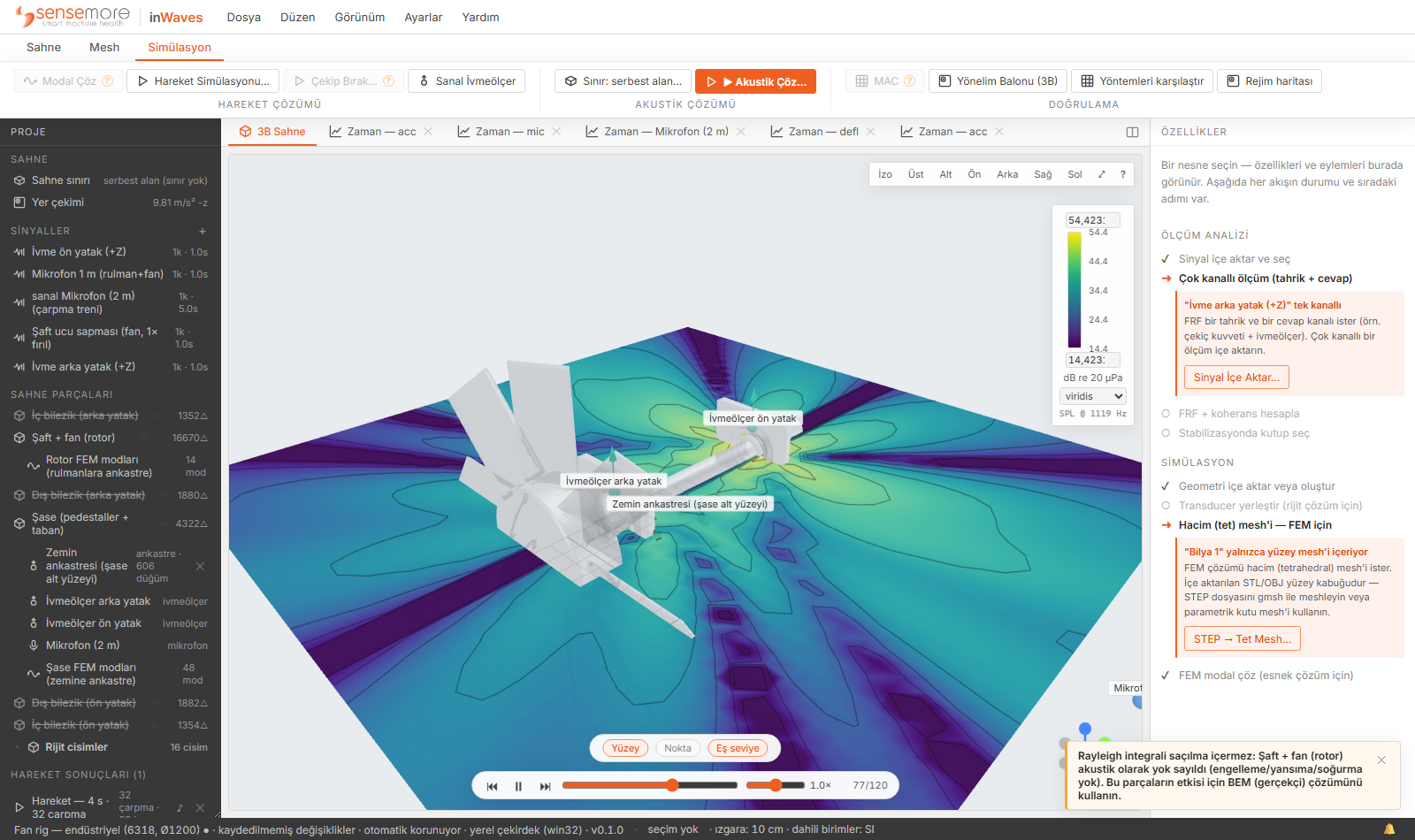
inWaves is a desktop CAE tool for structural dynamics and acoustics. Modal, harmonic and random-vibration analysis, multibody motion with contact, coupled flow, and the sound field they produce: one model, one solve chain, on your own Windows machine.
Full product, 30 days, one machine. No credit card.
Capabilities
Six disciplines, one model.
Analyses that usually live in separate packages share one scene tree, one unit system and one result store. What couples in the real machine couples in the model.
Structural dynamics
- Modal, linear static, buckling, prestressed analysis
- Harmonic response (FRF) and random vibration (PSD)
- Quadratic tet and hex solids, beams, shells
- Composite laminates with per-ply stresses
- Plasticity and thermal loading
Multibody dynamics
- Time integration with real, geometric contact
- Bearings modelled as balls and races, not tables
- Joints, rigid and flexible bodies in one run
- Gas-spring elements with pressure as the physics
- Impact trains and contact forces as outputs
Flow & aeroacoustics
- Lattice-Boltzmann solver coupled to the structure
- Rotating machinery: blade loads and duct pressure
- Flow-induced sound via the Curle analogy
- CUDA GPU path in the same build; CPU fallback
Sound radiation & rooms
- Rayleigh and BEM radiation from the vibrating surface
- Room acoustics by ray tracing
- SPL field maps and band-limited levels
- Virtual microphones with audible time signals
Signals & modal testing
- WAV, CSV and UFF import with unit enforcement
- FFT, Welch PSD, spectrogram, order views
- FRF and coherence from drive and response channels
- Experimental modal identification (EMA)
CAD & meshing
- STEP, IGES, STL and OBJ import with health checks
- Geometry healing for real-world CAD
- Tet and swept-hex meshing through gmsh
- Element quality reported before you solve
Workflow
A straight line from geometry to report.
Import CAD or build parametric parts. Assign materials from the library or your own data.
Size from the frequency range you care about. Quality is reported, not hidden.
Supports, loads, joints and rotation on named nodes. Sensors go where your real ones would.
Modes, response, motion, flow and sound from one chain. Plots, field maps and exportable signals.
Verification
Numbers you can audit.
Every release is measured against NAFEMS and closed-form benchmarks before it ships. Competitor cells come from the vendors' own verification manuals, and the rows we lose stay in the average. Where a solver path has a known limitation, the manual says so in plain words.
Deployment
Runs on your desk, stays on your desk.
- Solving is fully local. Models and results never leave your machine.
- The only network traffic is the licence check at launch. Telemetry is off unless you turn it on.
- One build for CPU and GPU. No feature tiers, no solver add-ons.
- This site sets no cookies and runs no trackers.
Put your own machine in the scene.
The trial is the full product for 30 days on one machine: every solver, the GPU path included.